System Navigation
After logging in, you land on the Business System home page. The top navigation bar gives access to all major modules.
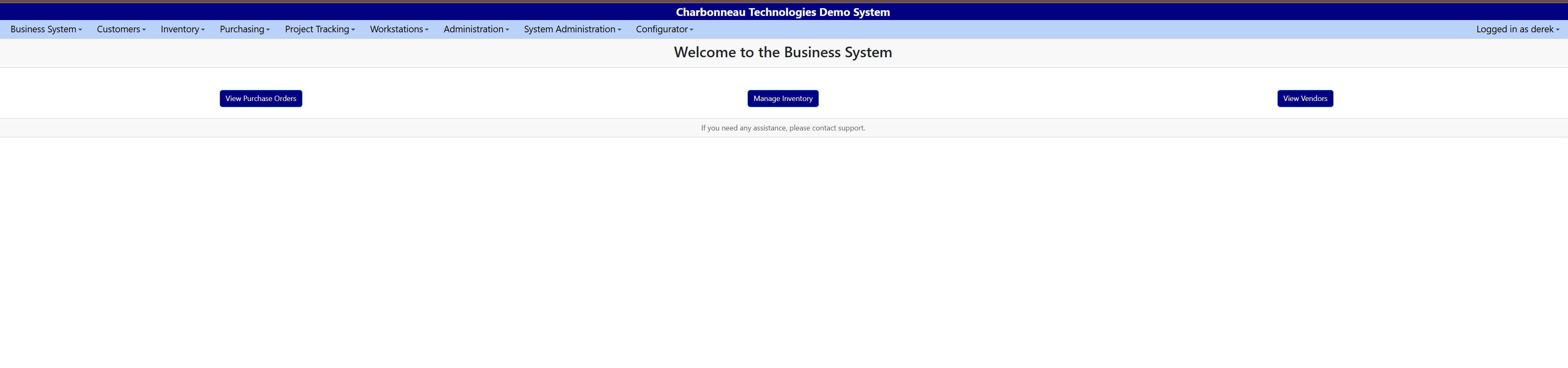
Top navigation menu
| Menu item | Description |
|---|---|
| Business System | Home screen and access to core business lists (RFQs, Quotes, Jobs, etc.) |
| Customers | Manage customers, sites, and related contacts |
| Project Tracking | View and manage tasks and project tracking (if enabled) |
| Workstations | Access workstation terminals and related functions |
| Administration | General system administration screens |
| System Administration | System-level configuration, reference data, and logs |
| Configurator | Access configuration tools where enabled |
| User Profile | Shows the logged-in user and account-related options |
Business System drop-down
Click Business System to see a drop-down with options such as:
- RFQ List - view and manage Requests for Quote
- Quote List - manage customer quotes
- Job List - manage jobs or work orders
- Invoice List - manage customer invoices
- PO List - manage purchase orders
These lists are your main work screens for day-to-day activity.