Valve Manufacturer List
Overview
The Valve Manufacturer List screen allows users to manage valve manufacturers and the associated valve configuration data used by the system.
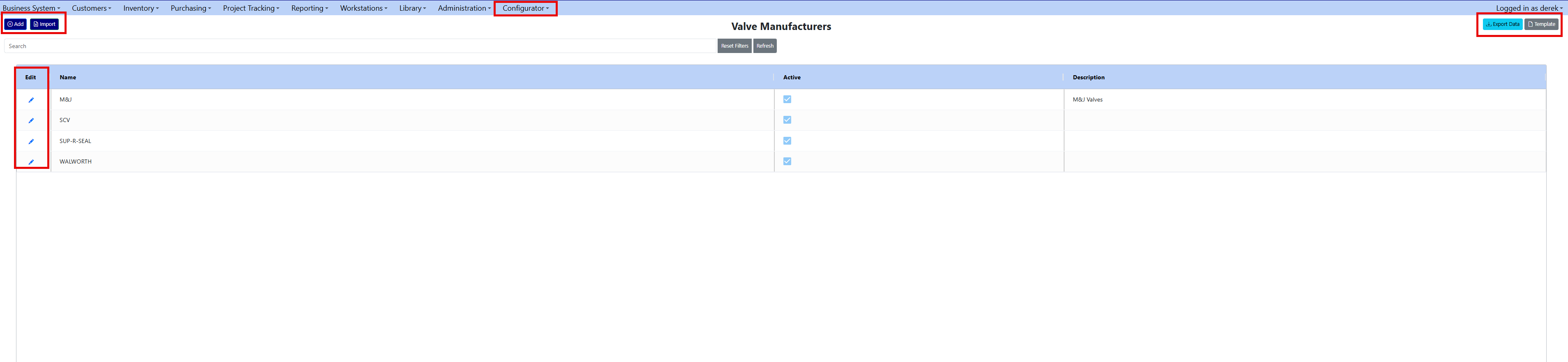
From this screen, users can:
- Maintain the list of valve manufacturers
- Define valve models for each manufacturer
- Maintain valve rating data used by the configurator
- Import or export valve rating data in bulk
- Attach manufacturer or model documentation
Valve manufacturer data drives the valve configuration logic used throughout the system.
Screen Overview
The Valve Manufacturer List is accessed from:
Configurator → Valve Manufacturer List
The screen displays a grid of all valve manufacturers currently configured in the system.
Manufacturer Grid Columns Column Description Edit Pencil icon that opens the manufacturer record Name Manufacturer name Active Checkbox indicator showing if the manufacturer is active Description Optional description of the manufacturer
A search filter is available to quickly locate manufacturers by name or description.
Page Actions
Four primary actions are available at the top of the screen.
Add
Creates a new valve manufacturer.
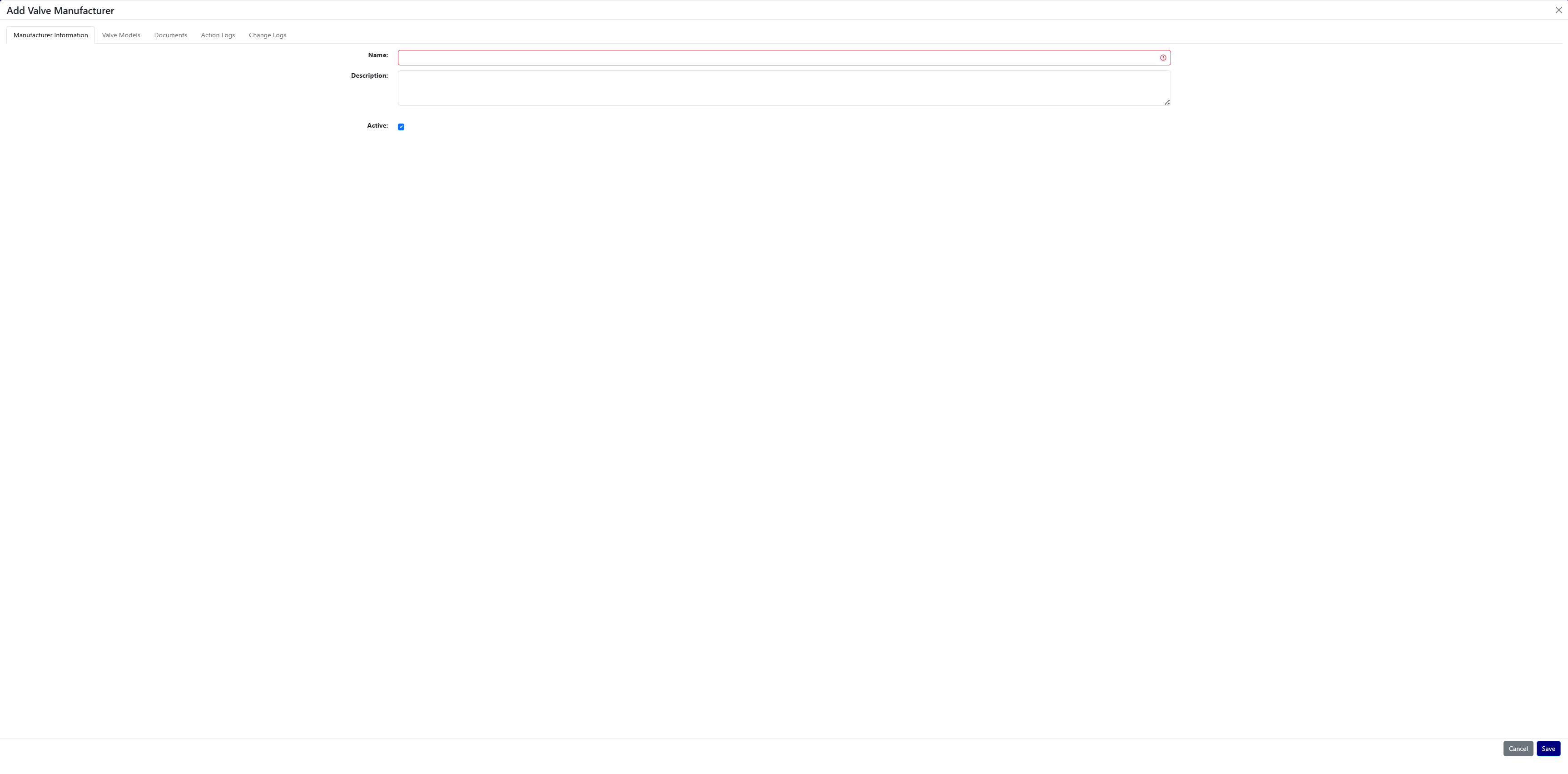
When adding a manufacturer, the following fields are available:
Field Required Description Name Yes Manufacturer name Description No Optional description Active No Indicates whether the manufacturer is active
Save creates the manufacturer. Cancel closes the form without saving.
Import
The Import button allows users to upload a completed valve rating template.
This feature supports bulk importing of valve configuration data.

Data that can be imported includes:
- Manufacturer
- Model
- Valve Type
- Size Inches
- Ansi Class
- Stem Diameter Inches
- Stem Pitch Inches
- Stem Lead Inches
- Stem Travel Inches
- Stem Turns To Open
- Unseat Thrust Lbs
- Unseat Torque Ft Lbs
- Max Torque Ft Lbs
- Threads Per Inch
- Hand Wheel Diameter Inches
- Recommended Gear Operator
- Stem Height
- Iso MSS Pattern
- IsActive
This import process is typically used when loading large volumes of manufacturer valve specifications.
Export Data
The Export Data button downloads the same template used for imports, but pre-populated with all existing manufacturer and valve rating data.
This is useful for:
- Reviewing all existing valve configuration data
- Updating large datasets
- Making bulk edits before re-importing
Template
The Template button downloads a blank import template.
Users can populate this template with valve rating data and upload it using the Import button.
Editing a Manufacturer
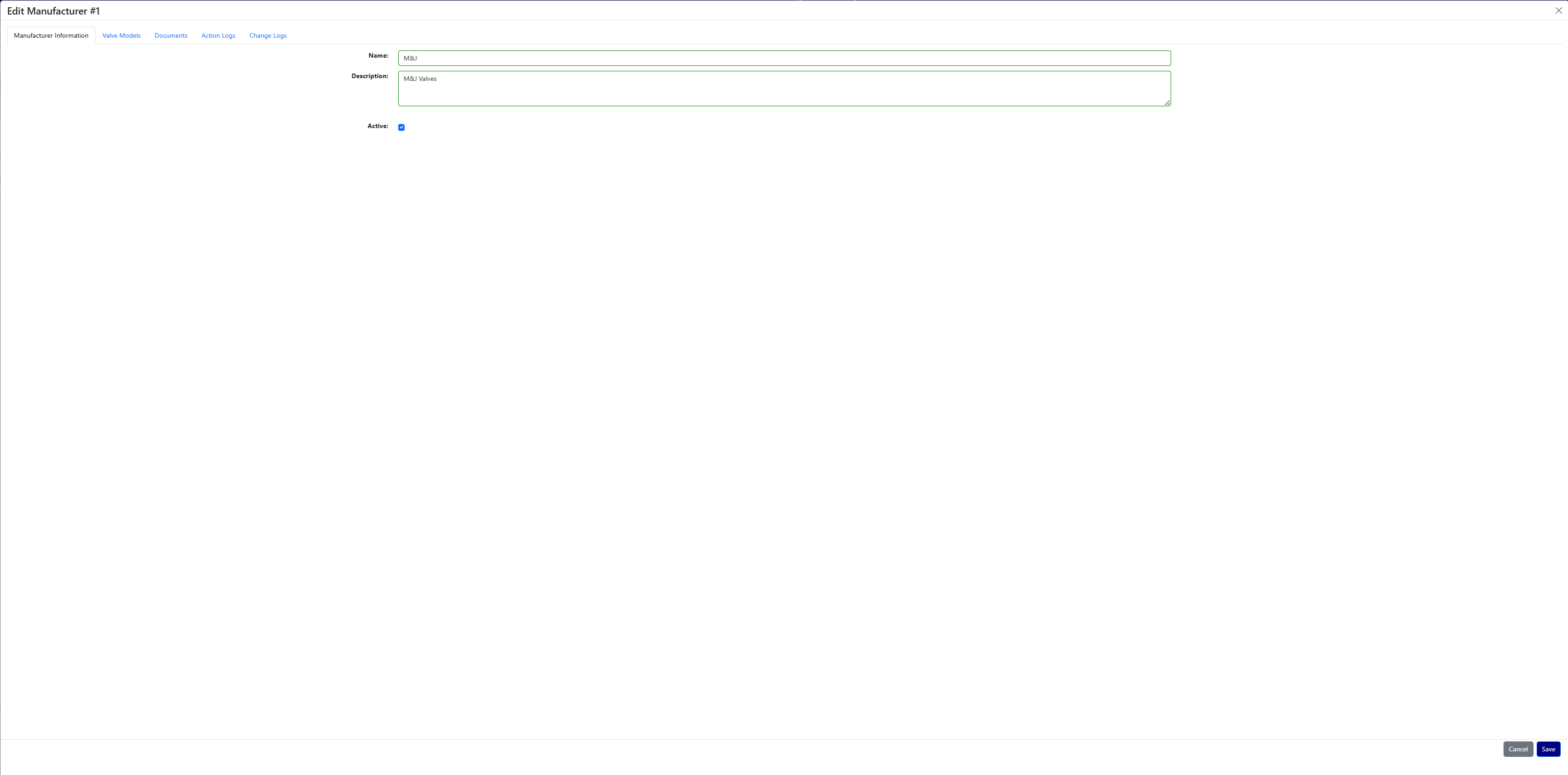
Clicking the Edit (pencil) icon opens the manufacturer record in a tabbed interface.
The manufacturer workspace contains several tabs used to manage manufacturer data and associated valve models.
Manufacturer Information Tab
The Manufacturer Information tab allows users to update the basic manufacturer details.
Editable fields include:
Field Description Name Manufacturer name Description Optional manufacturer description Active Indicates if the manufacturer is active
Changes made here apply to the manufacturer record globally.
Valve Models Tab
The Valve Models tab lists all valve models associated with the manufacturer.
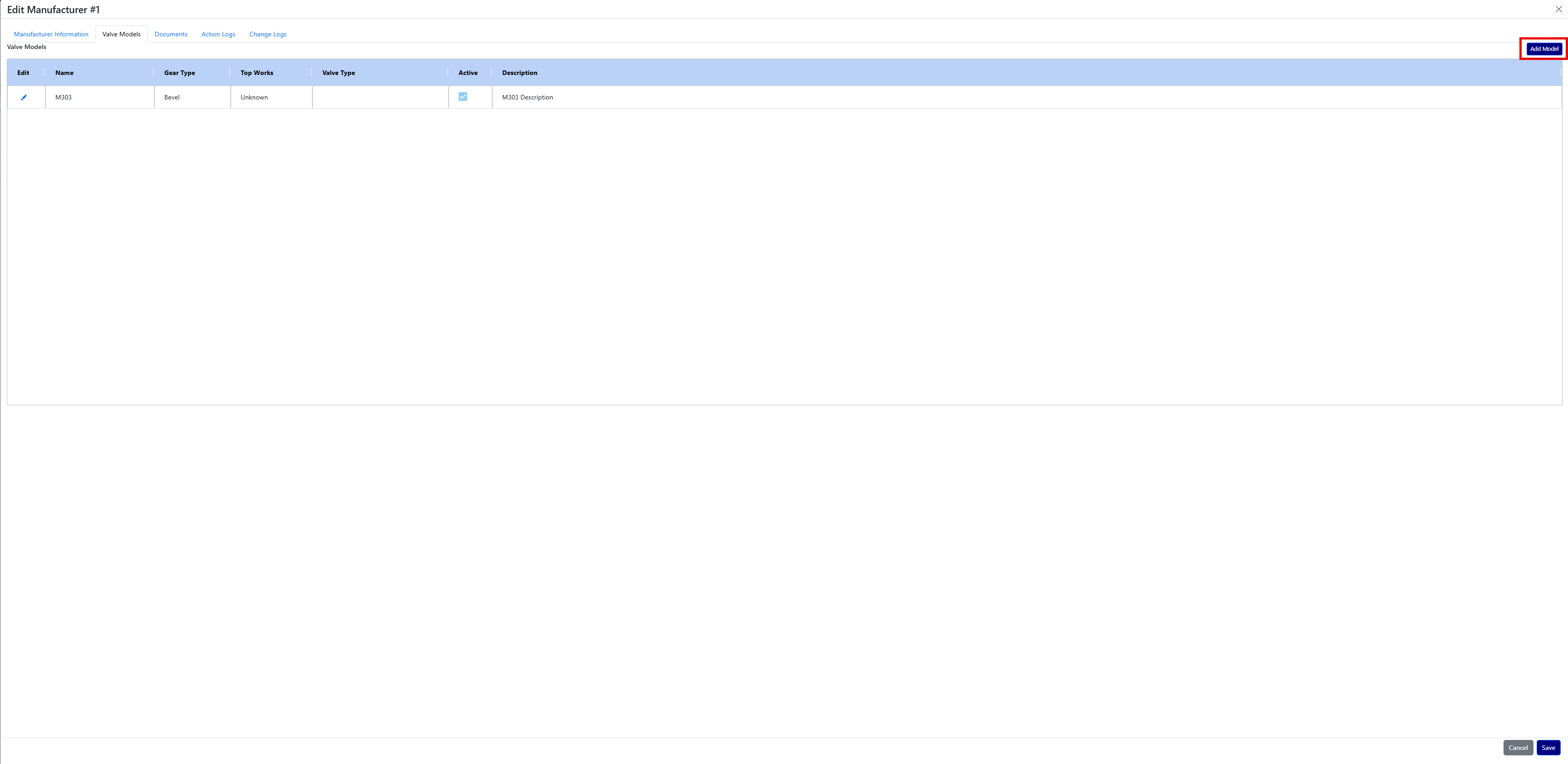
Valve Model Grid Column Description Edit Opens the valve model record Name Valve model name Gear Type Gear mechanism type Top Works Valve top works configuration Valve Type Valve classification Active Indicates if the model is active Description Optional description
Adding a Valve Model
Click Add Model to create a new valve model.
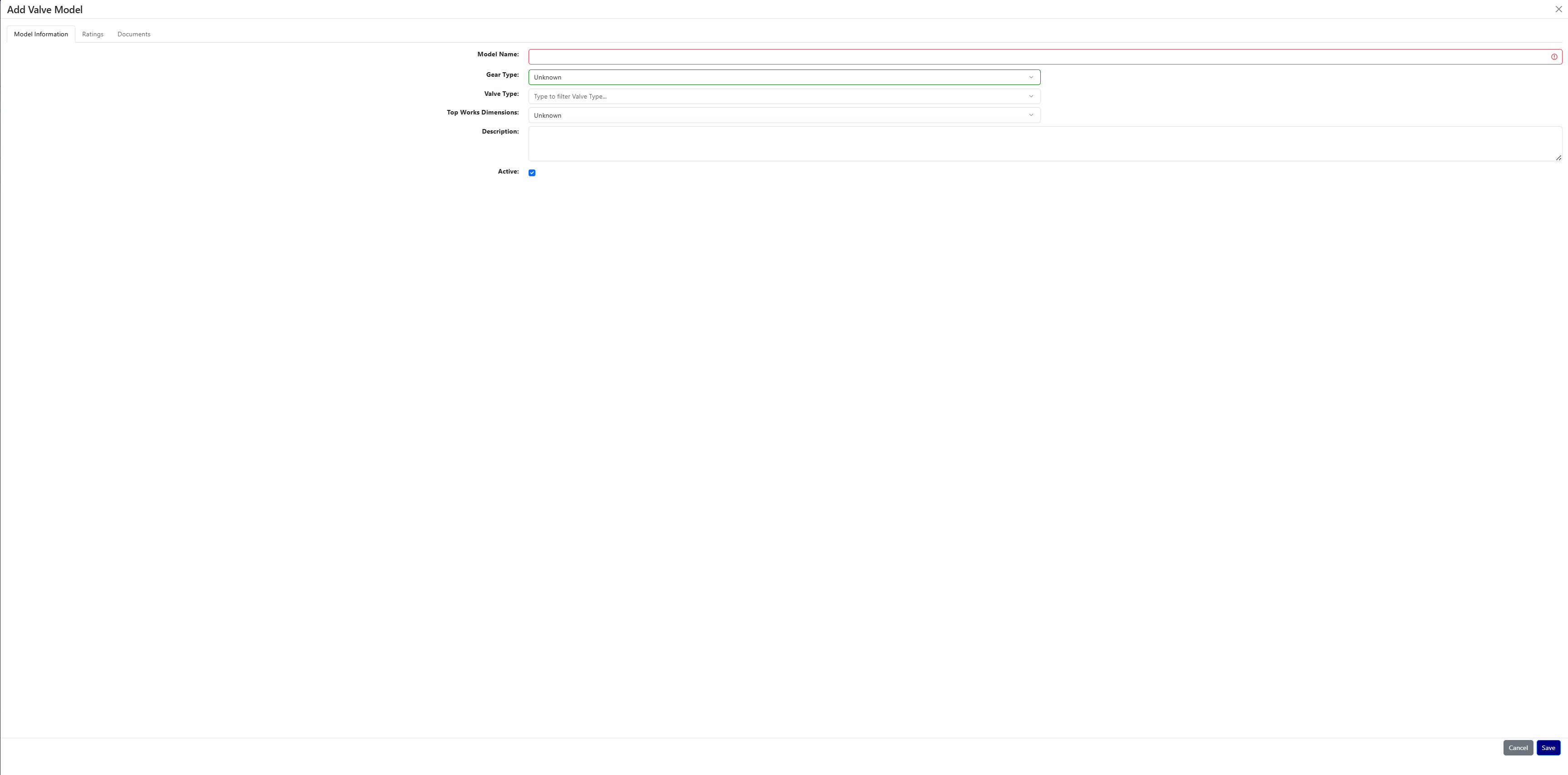
Fields available:
Field Required Description Model Name Yes Name of the valve model Gear Type No Dropdown: Unknown, Bevel, Worm, Spur Valve Type Yes Dropdown of configured valve types Description No Optional description Active No Indicates if the model is active
Save creates the model. Cancel closes the form without saving.
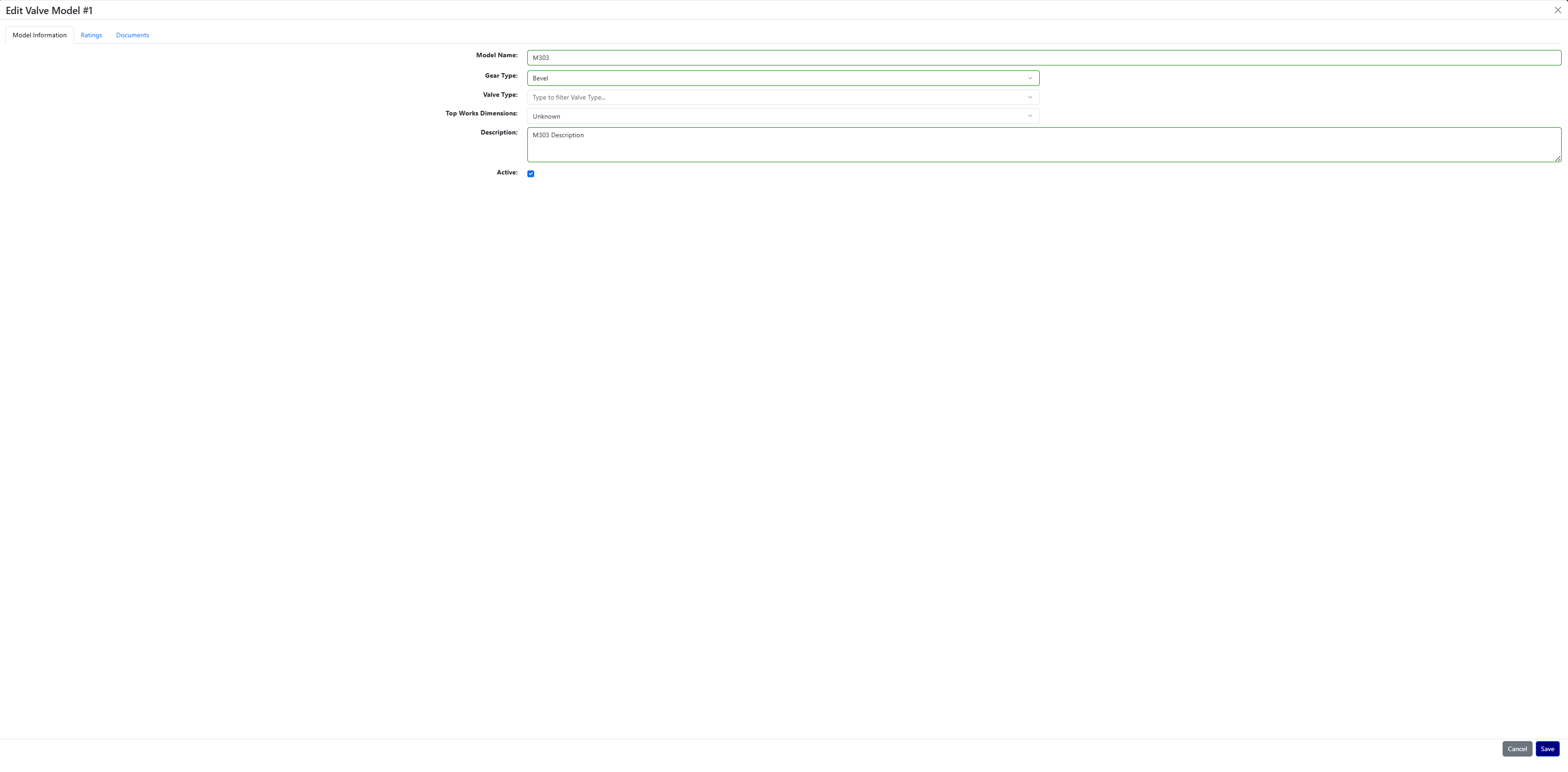
Clicking the Edit icon allows users to modify the same fields for an existing valve model.
Ratings Tab
The Ratings tab contains all valve rating records for the selected valve model.
These ratings represent the engineering specifications used for valve sizing and configuration.
Users can:
- View existing rating records
- Add new ratings using Add Rating
Ratings typically correspond to combinations of:
- Valve size
- ANSI class
- torque values
- stem configuration
- and other engineering parameters
Documents Tab
Both Manufacturers and Valve Models include a Documents tab.
This tab allows users to:
- Upload manufacturer documentation
- Store valve model documentation
- Remove documents when no longer needed
Typical documents include:
- specification sheets
- engineering drawings
- product manuals
- certification documents
Action Logs Tab
The Action Logs tab records system activity related to the manufacturer.
Examples include:
- Adding a new valve model
- Uploading documents
- Creating ratings
Each entry records:
- Transaction ID
- User who performed the action
- Date and time
- Description of the action
Change Logs Tab
The Change Logs tab provides a detailed audit trail of all modifications.
Each record includes:
Field Description Change Date When the change occurred Type Entity type (Manufacturer, Model, Rating) ID Record ID that was changed Field Field that was updated Previous Value Value before the change New Value Value after the change Employee Name User who made the change
This log provides complete historical traceability for configuration changes.
Best Practices
- Use the Import template when adding large sets of valve data.
- Keep manufacturer names consistent with official vendor naming.
- Mark obsolete manufacturers or models Inactive instead of deleting them.
- Upload specification sheets in the Documents tab for quick engineering reference.
- Review Change Logs when troubleshooting configuration issues.